5 Free Claude Code Skills I Use for WordPress Website Design
I gave Claude Code one prompt and changed only the skill. Here’s what five free design skills each made, how they work, and which one to use for your WordPress website.

I gave Claude Code one prompt to design a website, and changed only the skill. These are the five free skills I use for my WordPress website design: what each one does, how it works, and what it did better than the others.
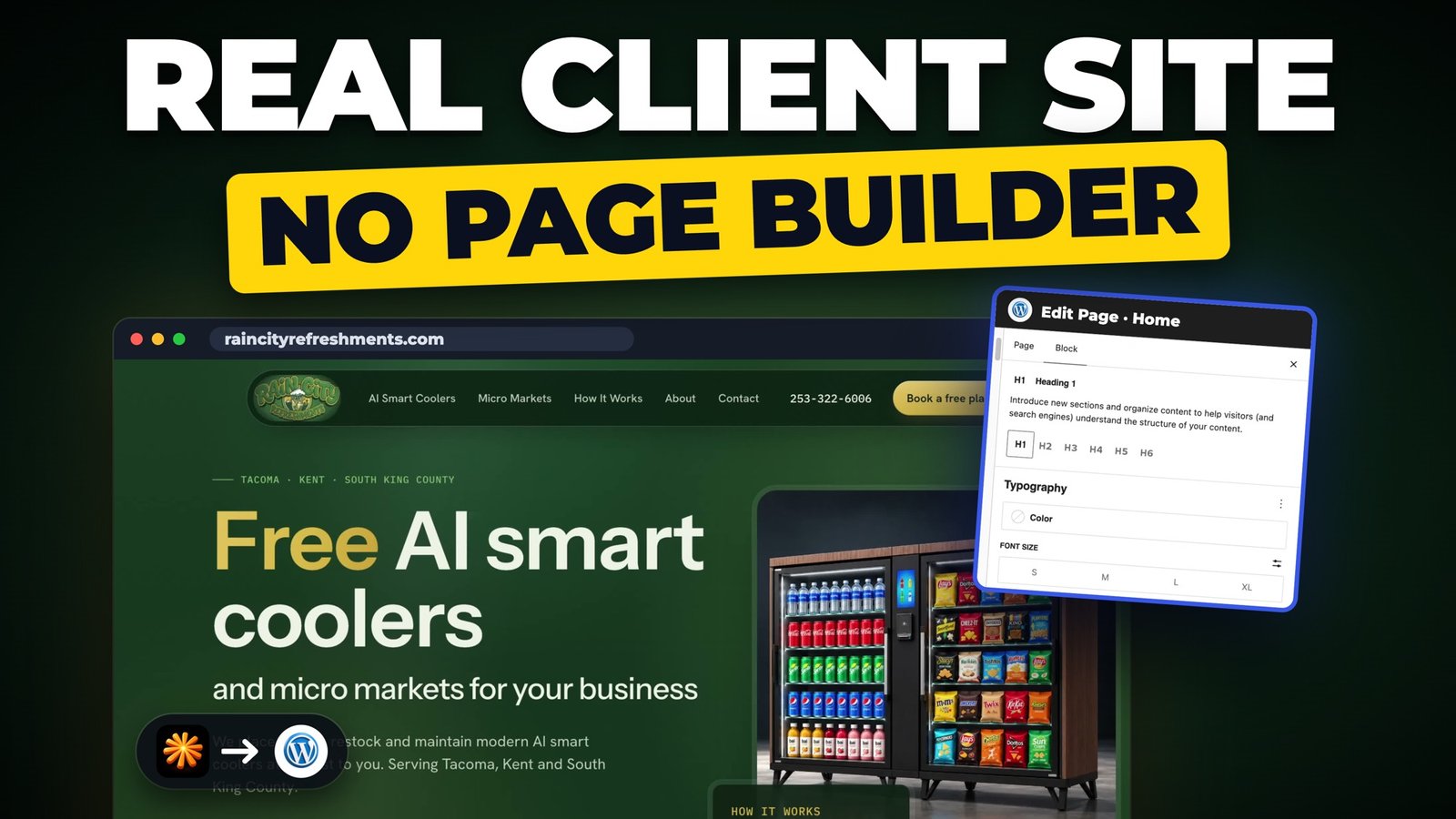
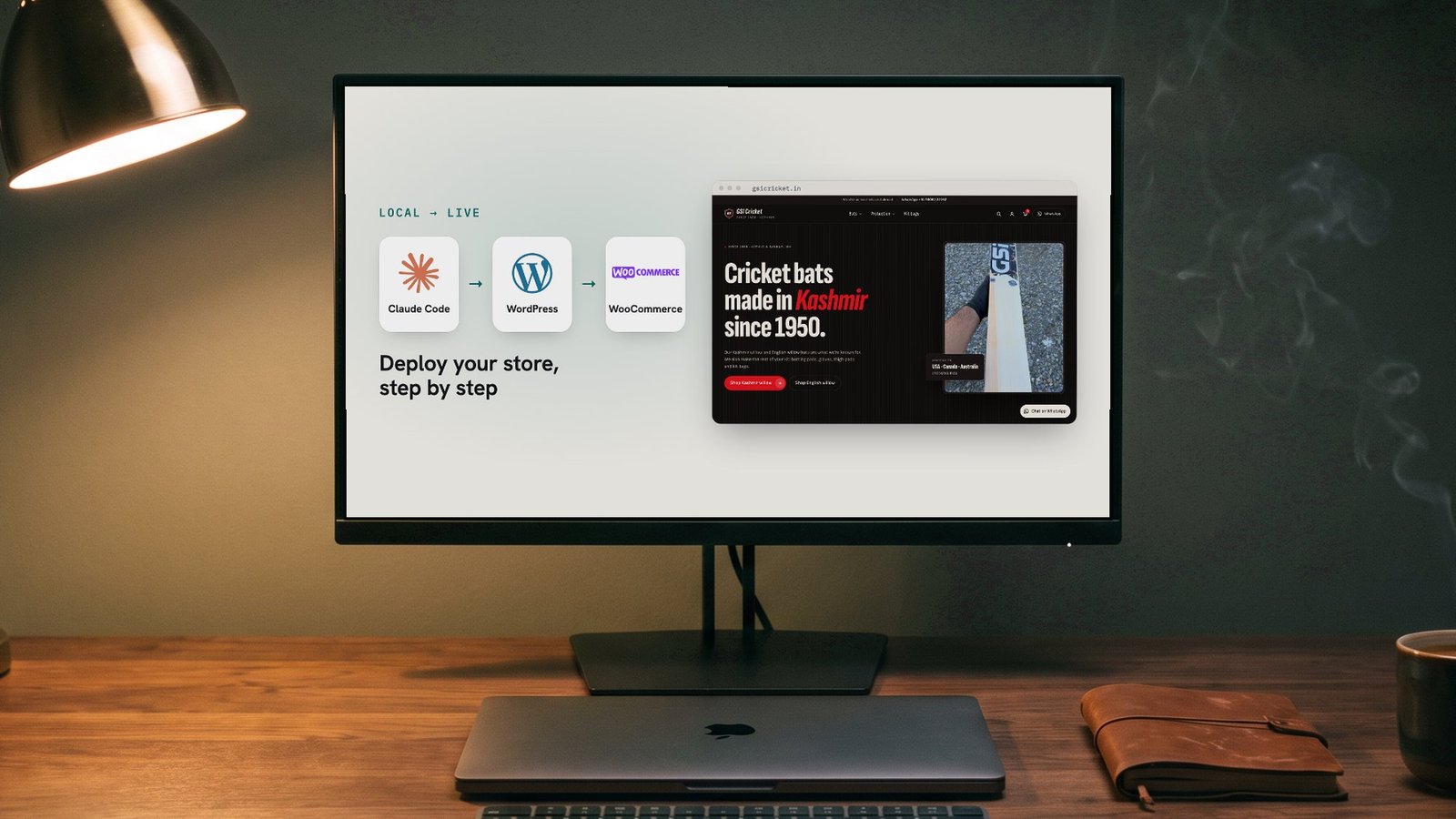
Every design below came from the same simple brief. After that, the design goes into WordPress so the client can edit everything on their own. I show that part step by step in how to build a WordPress website with Claude Code.
The 5 free skills
- UI UX Pro Max by nextlevelbuilder. Get it on GitHub.
- impeccable by Paul Bakaus. Get it on GitHub.
- taste-skill by Leon Lin. Get it on GitHub.
- gpt-taste by Leon Lin. Get it on GitHub.
- high-end-visual-design by Leon Lin. Get it on GitHub.
What is a Claude Code skill?
A skill is a set of instructions Claude Code follows for one kind of job. A design skill tells it how to pick fonts, colours and layouts, and what to avoid, so the page looks designed instead of like every other AI website.
To install one, give Claude Code the GitHub link:
📋 Prompt 1: install a skill (copy everything in the box below)
Install this skill for Claude Code so I can use it in every project: GITHUB LINKThe prompt I gave every skill
A small interior design studio in Portland, Oregon, with no logo and no photos of its own. Only the skill name changed each time. Copy it and swap in your own business:
📋 Prompt 2: the design brief (copy everything in the box below)
Use only the [SKILL NAME] skill for this design. Do not use any other design skill.

Design and build a homepage for Mira Lane Interiors, a small interior design studio in Portland, Oregon.

Services: Full home design, Kitchen and bath, Styling and staging.
Featured projects: Hawthorne Bungalow, Pearl District Loft, Lake Oswego Kitchen, Alberta Street Café.
Process: Consultation, Concept, Design and sourcing, Install and reveal.

Sections in this order: header with menu (Services, Projects, Process, About, Contact) and a "Book a consultation" button, hero, short intro, services, featured projects, process, about the founder, contact call to action, footer.

Contact: hello@example.com, (503) 555-0142. Do not invent reviews, ratings, awards or numbers.
Use free interior photos. One HTML file saved as index.html in this folder. It must work on phones and desktop.

When you are done, tell me in a short list what this skill added to the page that a normal AI website would not have.
1. UI UX Pro Max
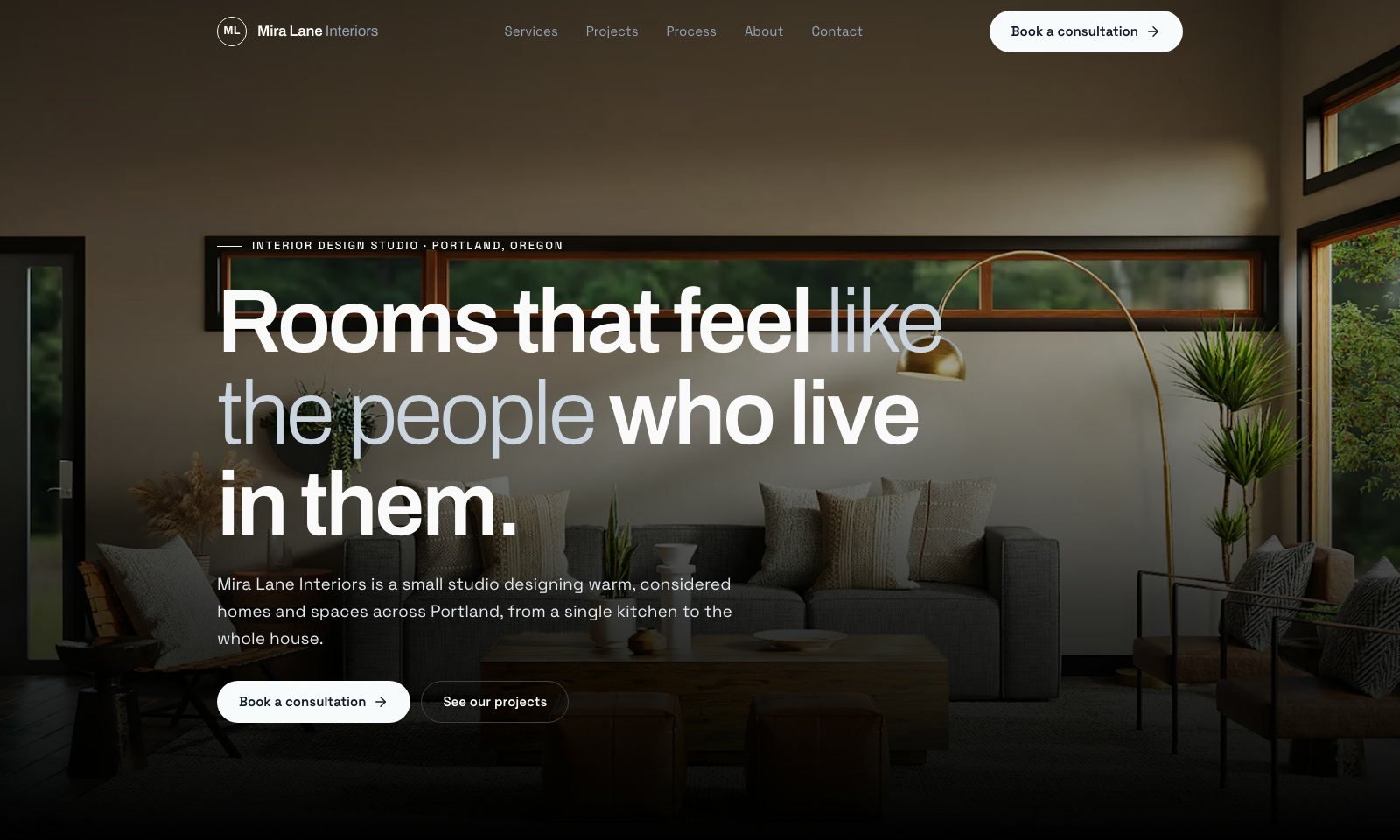
By: nextlevelbuilder. What it does: a design library with 80 styles, 192 colour sets and 74 font pairs.
How it works: it searches its library for your type of business, picks a layout, style, colours and fonts, builds the page using only those picks, then checks it against its list before delivery.
What it did on this page:
- A progress bar as you scroll.
- The story told in chapters, with a small booking button after each one.
- The process in four clear steps.
- A big contact section at the end.
Use it for: planning the whole design first, with a checklist for a website that’s easy to use. Get UI UX Pro Max on GitHub.
2. impeccable
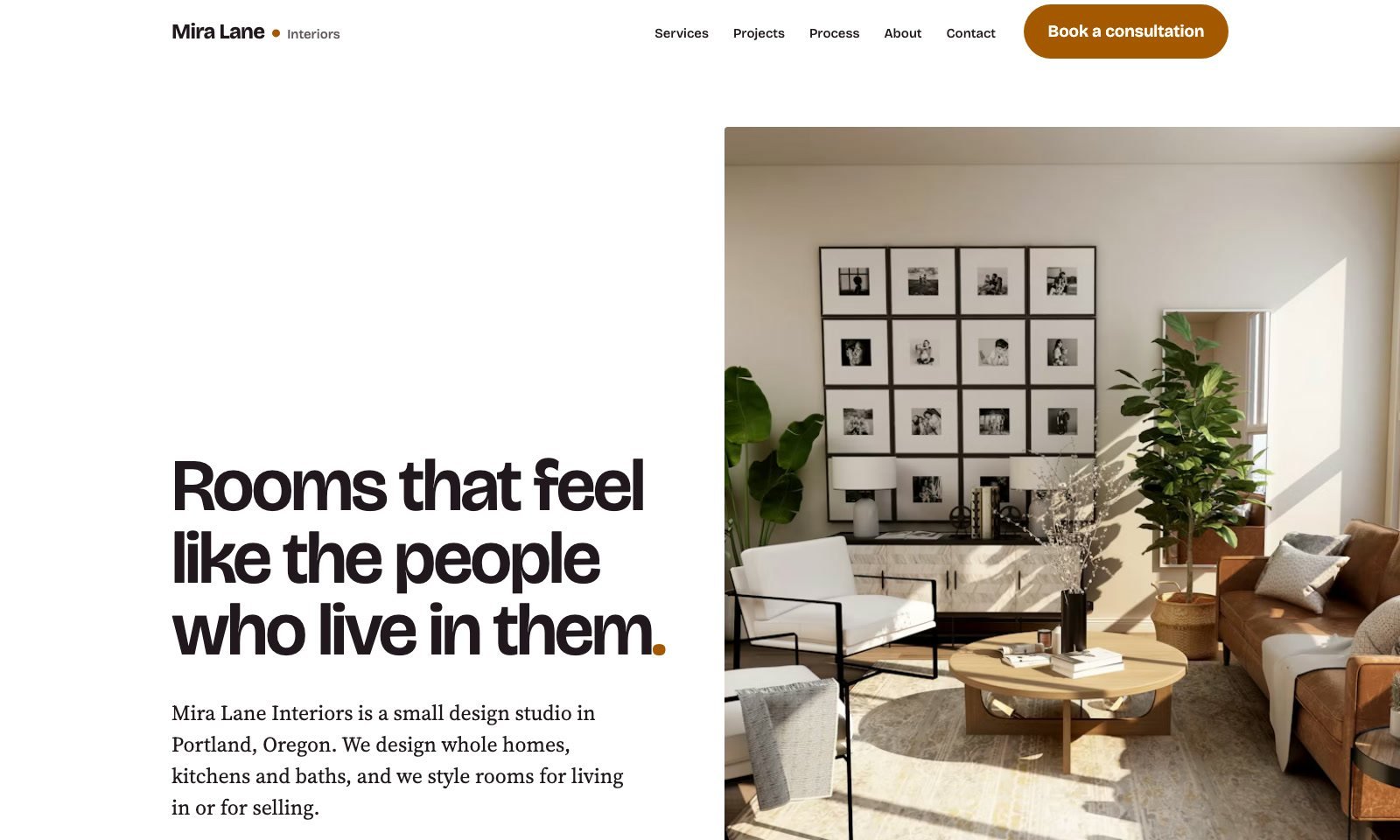
By: Paul Bakaus. What it does: it reviews your page like a real designer, and bans the usual AI look.
How it works: it imagines the visitor, who they are and when they visit, and picks colours to suit them. Then it builds the page, scores its own page and fixes what it finds.
What it did on this page:
- Only the full stop in the headline is honey, like the dot in the logo.
- A bold honey colour band with big type.
- Services as simple rows, not the cards you see on every website.
- Projects in an uneven layout.
To be honest, its hero wasn’t the strongest: the photo was too tall. But the details it added are things a normal AI website wouldn’t have.
Use it for: an honest designer’s review of your page. Get impeccable on GitHub.
3. taste-skill
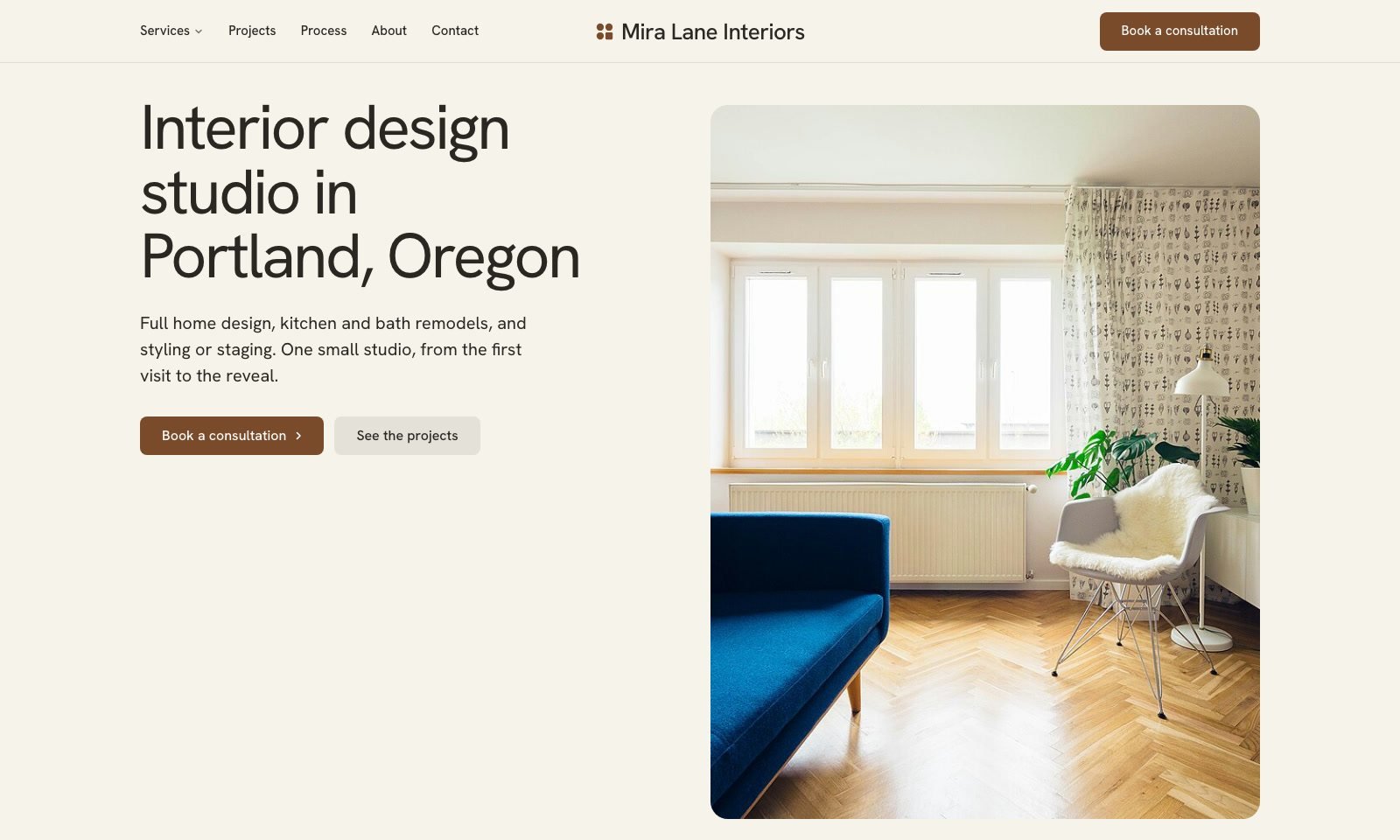
By: Leon Lin. What it does: art direction from award-winning websites, picked by its own scripts.
How it works: it works out the type of business, and its scripts pick the hero, menu, colours and font. It builds one section per screen, then checks the page on five screen sizes.
What it did on this page:
- The headline says what the business is and where, instead of a slogan.
- The photo develops like a print.
- In the services, the photo changes as you point at each row.
- The process told in full-width photos.
Use it for: the most original layouts, and plain words that say what the business does. Get taste-skill on GitHub.
4. gpt-taste
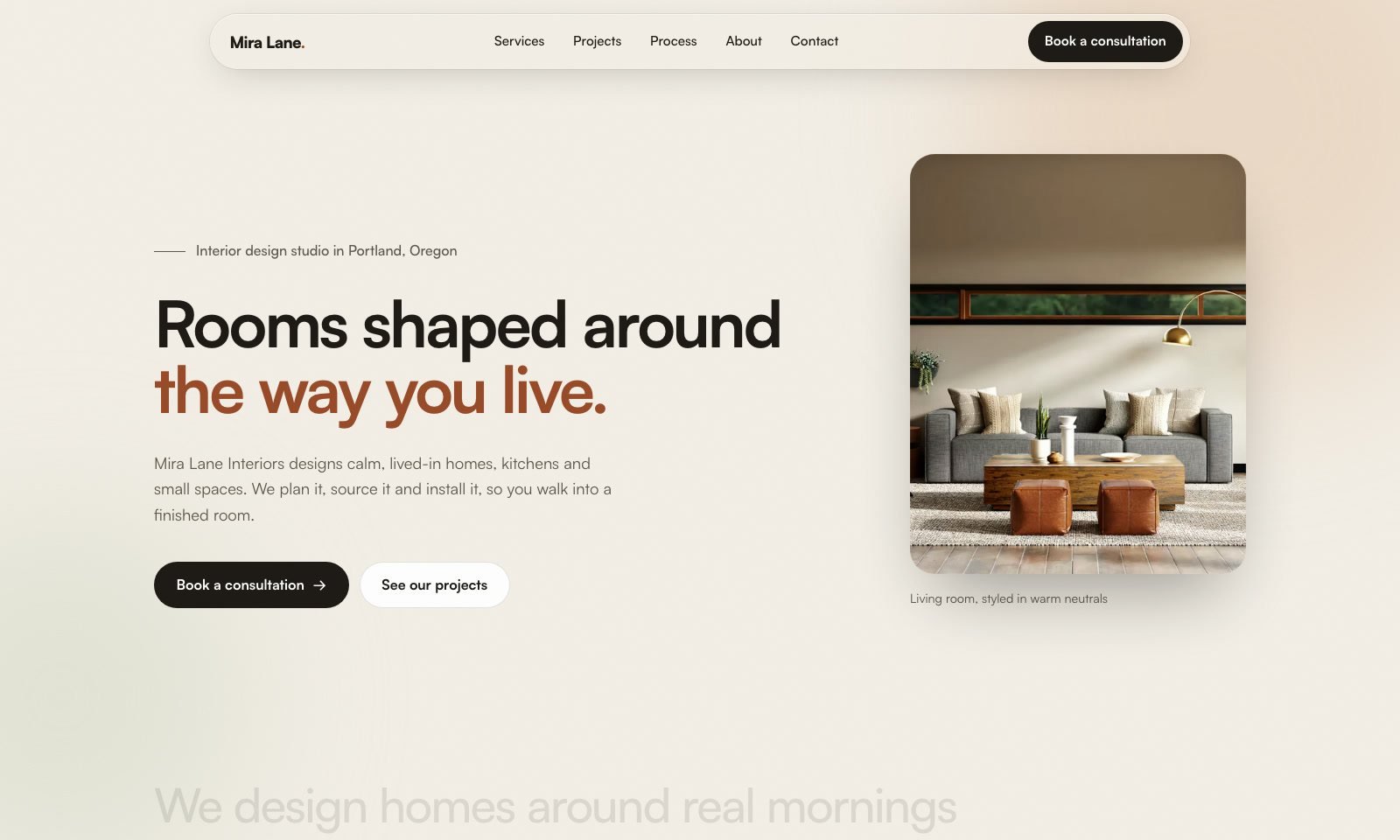
By: Leon Lin. What it does: it’s all about motion, and it rolls the dice for a different layout every time.
How it works: it rolls the dice for the hero, font and sections, plans the page to lead to a booking, builds grids with no empty gaps, and adds the scroll motion last.
What it did on this page:
- Words that light up as you scroll, with small photos inside the text.
- A grid with no empty gaps.
- Projects that open like sliding panels.
- A big moving band of words.
Use it for: motion and scroll moments that make a page feel alive. It’s one of my favourites: most of my last client design came from it. Get gpt-taste on GitHub.
5. high-end-visual-design
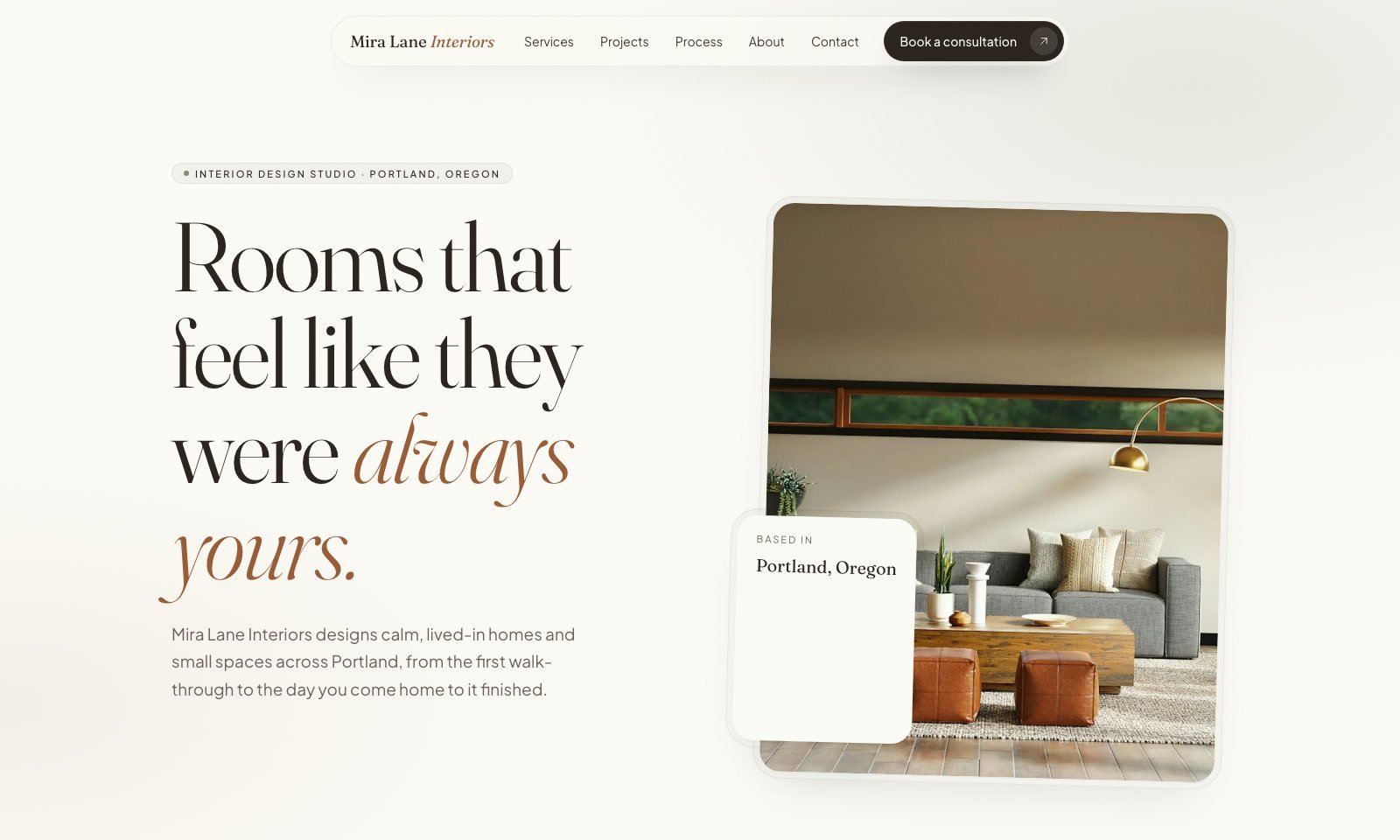
By: Leon Lin. What it does: it designs like a high-end agency, with premium fonts, spacing and shadows.
How it works: this one is a bit unique. It picks one of three moods and one of three layouts, sets the texture, spacing and big type, puts every card in a double frame, then adds the motion last.
What it did on this page:
- A floating menu, not a bar stuck to the top.
- The arrow in its own circle on every button.
- Every photo in a double frame.
- Each process step sits a little lower than the last.
Use it for: the premium look: fonts, spacing, cards and buttons. Its typography stood out the most of the five. Get high-end-visual-design on GitHub.
My sixth skill: my own custom skill (private)
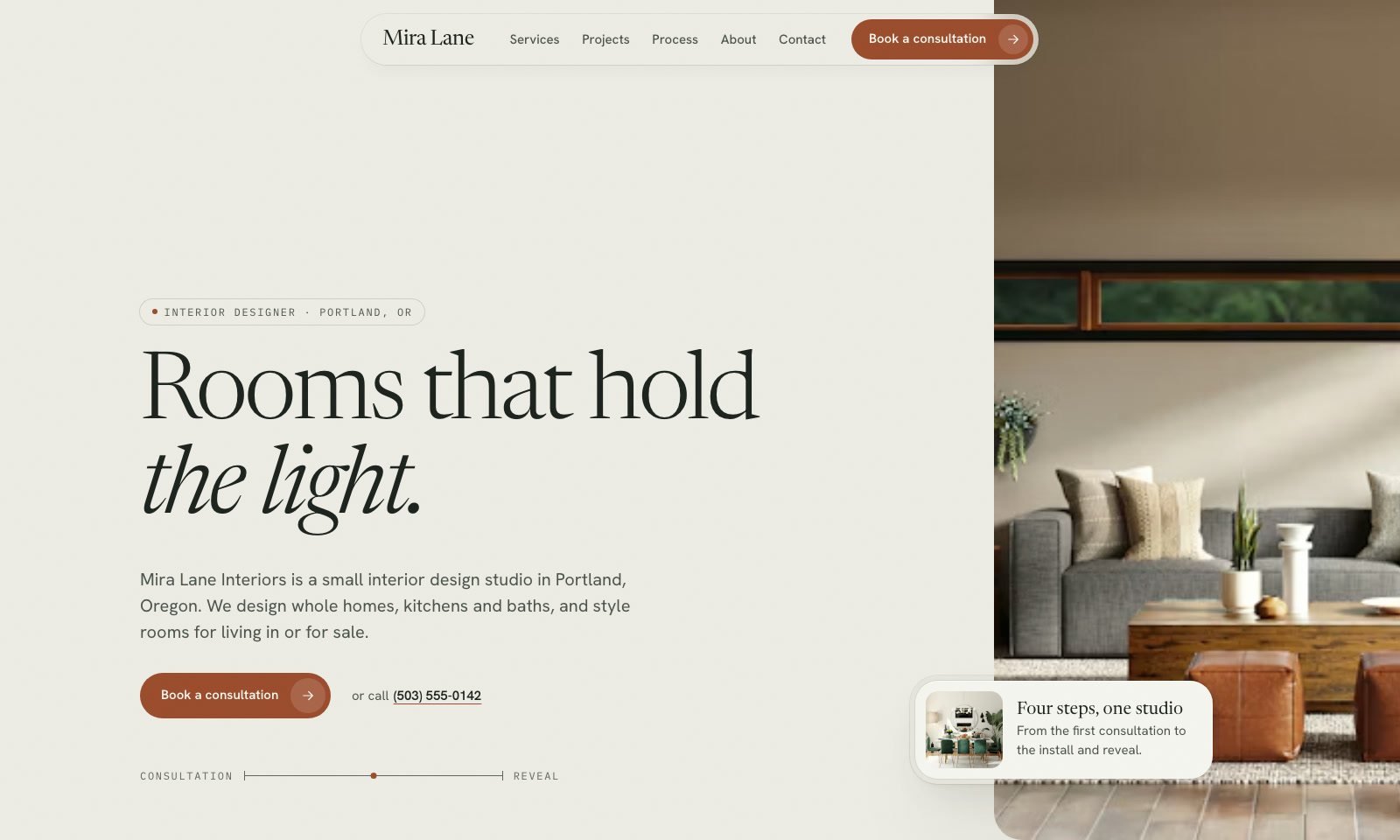
It takes the best parts of each skill, plus how my projects actually work. It asks first: the content, the keyword and the budget. It takes the colours from the client’s logo, or from the place when there’s no logo, so here it used Portland itself. It sizes the fonts to fit every screen, builds, then checks five screen sizes, fixes, and checks again.
On this page it put the keyword in the headline for SEO, used one true fact with nothing made up, added a floor-plan line from consultation to reveal, and wrote the studio name huge in the footer.
It’s private because it’s built on my own taste, my own rules and my client websites. The main thing is that it keeps improving: after every website I fix what I didn’t like, add the sites I like as examples, and reuse sections to build faster. In an upcoming video I’ll show you how to build your own.
Which skill should you use?
| Skill | Best for |
|---|---|
| UI UX Pro Max | Planning colours and fonts first, with a checklist |
| impeccable | A designer’s review, and avoiding the AI look |
| taste-skill | Original layouts and plain words |
| gpt-taste | Motion, scroll moments and grids with no gaps |
| high-end-visual-design | A premium look: fonts, spacing, cards and buttons |
How I use them on a client website
- A new prompt with the real brief: the client’s content, logo, photos and the websites they like.
- I run two or three skills, and take the best section from each one.
- My custom skill finishes the design and checks it on every screen size.
- Then it goes into WordPress with my free AI WordPress Kit, so the client can edit it.
I show this on a real client website, step by step, in how to build a WordPress website with Claude Code.
To be honest: these aren’t final designs
This was one simple prompt, just to show the idea. Give any of these skills proper details, an outline, example screenshots and sites you like, and each one gets much better. The photos here are free stock photos, so they look alike across the skills. On client websites I use real photos, or generate them with a tool like Magnific.
Questions people ask
What is the best Claude skill for web design?
There isn’t one best skill. For motion I’d pick gpt-taste, for a premium look high-end-visual-design, and for a design review impeccable. Most of the time I combine two or three.
Are these Claude Code skills free?
Yes. All five are free on GitHub. Only my own custom skill is private.
Can I use more than one skill on the same website?
Yes. Run the same brief through two or three skills, then tell Claude which section to take from which version. That’s how I design client websites.
Do these skills work with WordPress?
They design the website as HTML. To turn it into an editable WordPress website, I convert it with my free AI WordPress Kit.
Can I build my own Claude skill?
Yes. Mine started as notes on what I liked and didn’t like after each website. I’ll show the full process in an upcoming video.
Get the AI WordPress Kit
Turn any of these designs into a WordPress website your client can edit: the skill, the parent theme and the blocks plugin. Free to use on your own websites and your clients’ websites.
Want me to design and build it for you instead? Start a project.